

Extending conversational memory in Kiro CLI using Amazon Bedrock AgentCore Memory
Run the following steps from the terminal: Run the following command to clone the repository: git clone https://github… In this post, we demonstrate how you can extend the conversational memory of Kiro CLI by implementing a custom Model Context Protocol (MCP) server that integrate…
Agentic IDEs that forget what you told them in previous sessions aren’t very helpful. You work on your large codebase with complex business requirements for days or weeks. However, your IDE only remembers you during your current session and can’t recall your conversational history, preferences derived from the conversations, or additional insights. You end up providing the same contextual information in every new session. This need for repetitive context-setting impacts your productivity.
In this post, we demonstrate how you can extend the conversational memory of Kiro CLI by implementing a custom Model Context Protocol (MCP) server that integrates with Amazon Bedrock AgentCore Memory. You can use Kiro CLI to interact with AI agents of Kiro directly from your terminal. Amazon Bedrock AgentCore Memory is a fully managed service that allows AI agents to retain information from past interactions, creating more intelligent and context-aware conversations. By implementing a custom MCP server, you can provide Kiro CLI with tools to store and retrieve conversation context, monitor memory usage, and manage the underlying Bedrock Agent Core Memory infrastructure.
Solution overview
The solution consists of three main components working together:
- Amazon Bedrock AgentCore Memory is a fully managed service that stores and retrieves conversation context, providing persistent memory capabilities with built-in semantic search. AgentCore Memory provides powerful capabilities for maintaining both short-term working memory and long-term intelligent memory, so AI agents can retain context, learn from interactions, and deliver truly personalized experiences.
- Custom MCP Server exposes Amazon Bedrock AgentCore Memory capabilities through the MCP, making memory operations accessible to MCP-compatible clients.
- Kiro CLI connects to the MCP server through STDIO protocols to store and retrieve conversational history.
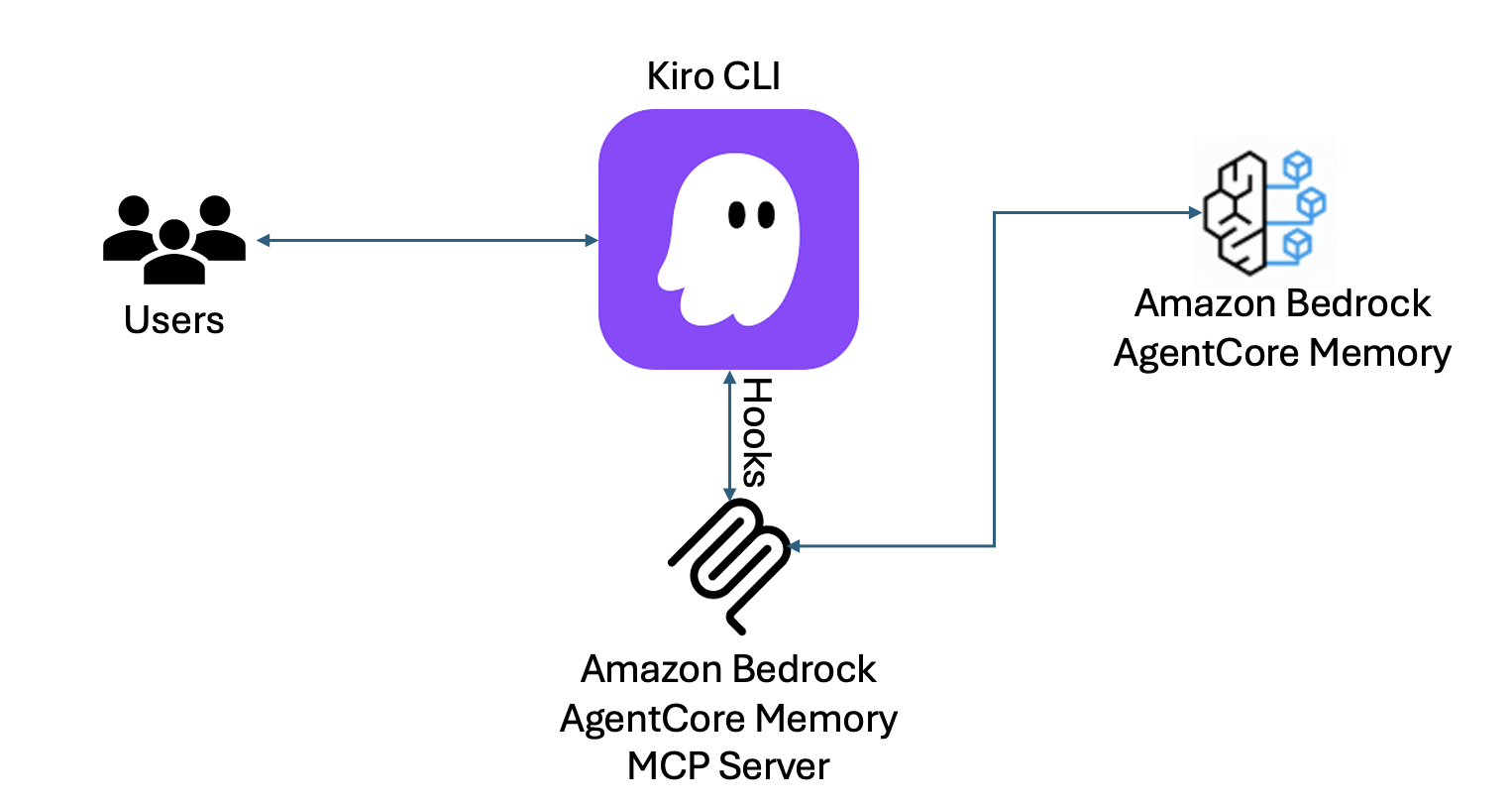
The MCP server acts as a bridge between Kiro CLI and Amazon Bedrock AgentCore Memory, allowing the Kiro CLI to maintain conversation history and context across sessions.The MCP server provides tools organized into three categories.
- Conversation tools – you can search conversation history by topic or timeframe, store conversations with consistent session tracking, retrieve complete conversation content, and list previously stored sessions.
- Monitoring tools – you can view memory usage statistics and MCP server config
- Management tools – you can delete specific sessions and delete stored data when needed.
The solution uses a two-stage retrieval strategy: it first attempts semantic search using the retrieve_memory_records Bedrock AgentCore Memory API for conceptual matching, then falls back to direct event-level content matching, scanning raw conversation payloads stored in AgentCore Memory sessions. This cascading approach makes sure that conversations are retrievable regardless of whether the semantic strategy has finished processing them. You can use timeframes in your prompt like recent, last night, or yesterday to find relevant conversations.
This architecture makes Kiro CLI context-aware. It remembers your preferences, project details, and workflows across sessions, so you don’t need to repeatedly provide the same information.
Walkthrough
For this demo, you should have the following prerequisites:
- Access to an AWS account through the AWS Management Console and the AWS Command Line Interface (AWS CLI).
The AWS Identity and Access Management (IAM) user that you use must have permissions to make the necessary AWS service calls and manage AWS resources mentioned in this post. While providing permissions to the IAM user, follow the principle of least-privilege.
- An AWS Builder ID.
- Kiro CLI installed on your desktop/laptop and configured.
Run the following steps from the terminal:
- Run the following command to clone the repository:
- Run the following command to create a Python virtual environment and install dependencies:
- Run the following command to create an Amazon Bedrock AgentCore Memory resource and generate Kiro agent config. Note that it might take a couple of minutes complete this step:
When prompted, choose one of the following options for an actor identifier. The conversions are stored against this identifier.
- Option 1: User ID (default) – this is recommended for personal use. This uses your system username from the USER environment variable. The preceding command sets
ACTOR_ID_TYPE=userid in agent/kiro_memory.json - Option 2: Project ID – this is recommended for team or project-based memory isolation. When prompted, you must provide
projectidandyour-project-id. The preceding command setsACTOR_ID_TYPE=projectidandPROJECT_ID=your-project-idinagent/kiro_memory.json
The namespace strategy used is: /strategy/semanticMemoryStrategy/actor/{actorId}/session/{sessionId}
- Setup kiro agent configuration
- Configure kiro_memory agent as the default agent.
Add the following to the cli.json file in ~/.kiro/settings/ directory to use kiro_memory agent by default: {"chat.defaultAgent": "kiro_memory"}
- Login to Kiro CLI
For logging in to Kiro CLI, you will need either an AWS Builder ID or an active Kiro subscription from your organization.
If you don’t have either one, you can create an AWS Builder ID by completing the steps in Create your AWS Builder ID.
kiro-cli login --use-device-flow
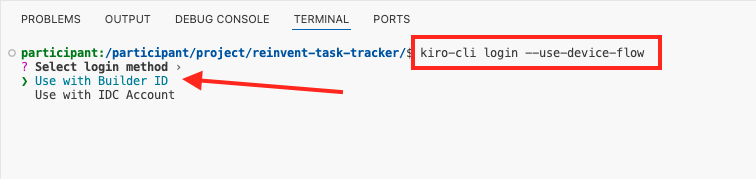
For the log in method, select Use for Free with Builder ID using your keyboard arrow keys and press enter.
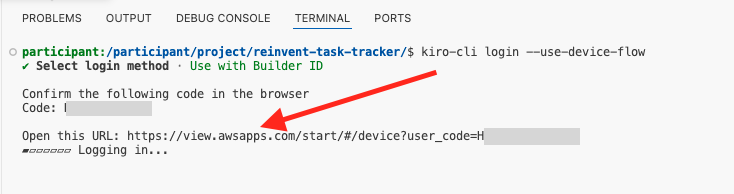
A URL will be generated to create new Builder ID. Select Open this URL or copy paste the link in a new browser tab.
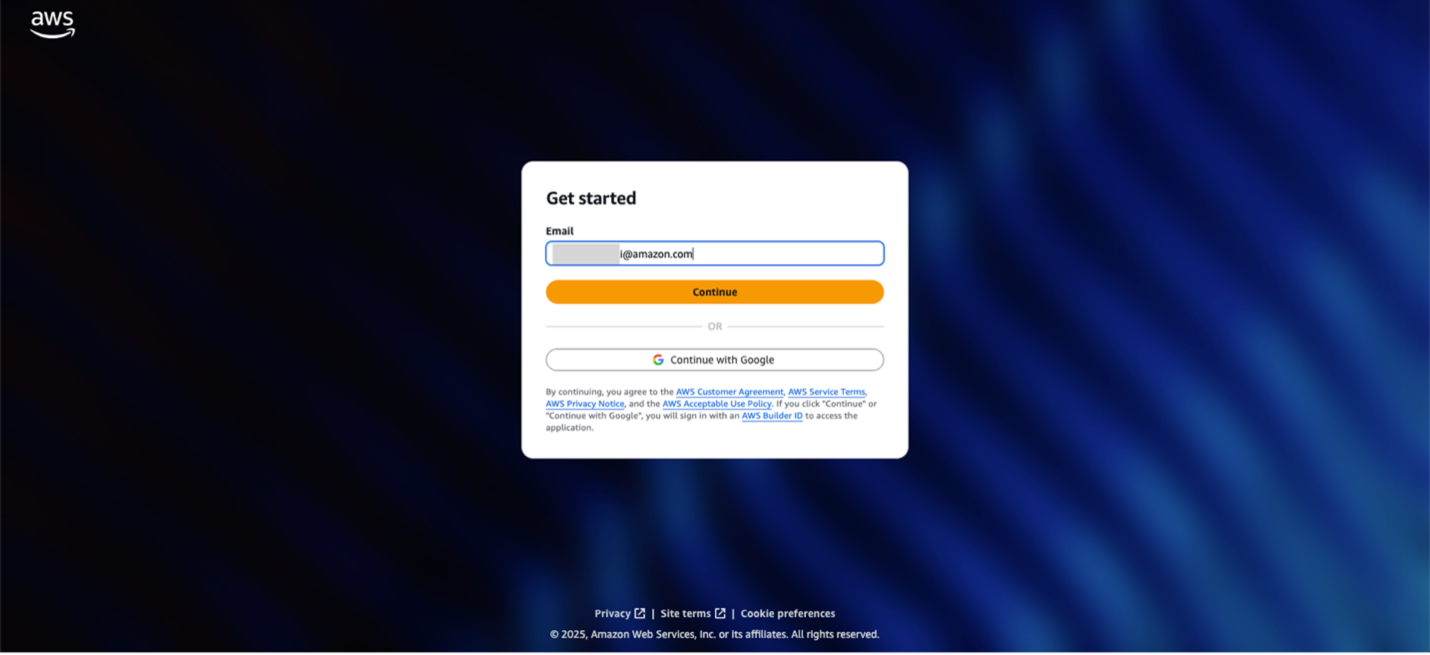
Log in with the Builder ID that you just created.
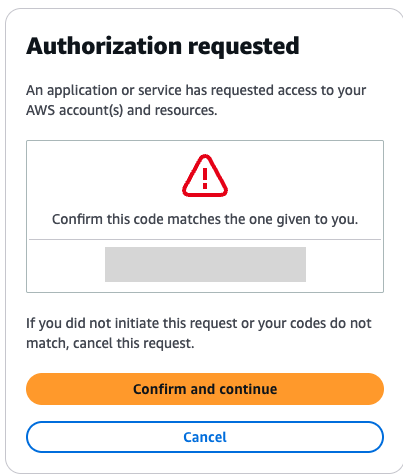
You will get a prompt to confirm the request. Select Confirm and continue.
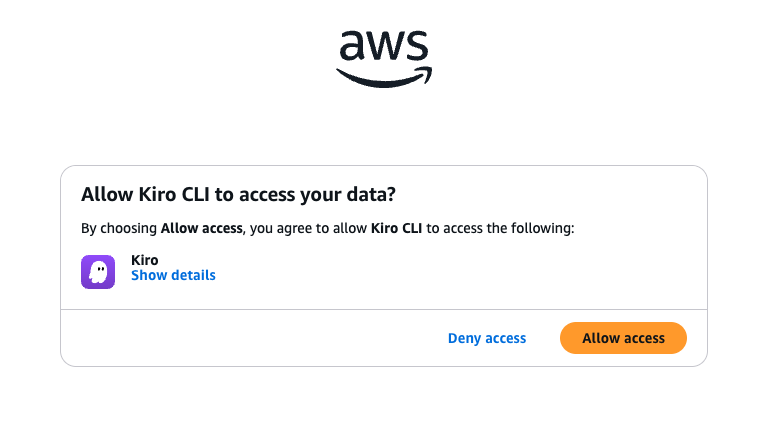
It will now ask you for permission to allow Kiro CLI to access the data. Click Allow access.
Now go back to your local terminal and you should see the message Logged in successfully. Enter the following command on the terminal:
kiro-cli --classic
Now, on the Kiro CLI enter the command /mcp to see the list of MCP servers configured on this session.
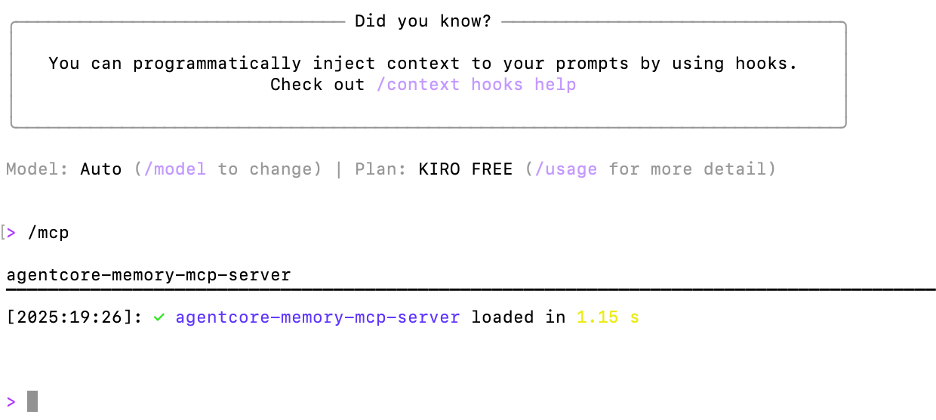
After the MCP server has successfully initialized, run the /tools command to list the tools available in the session.
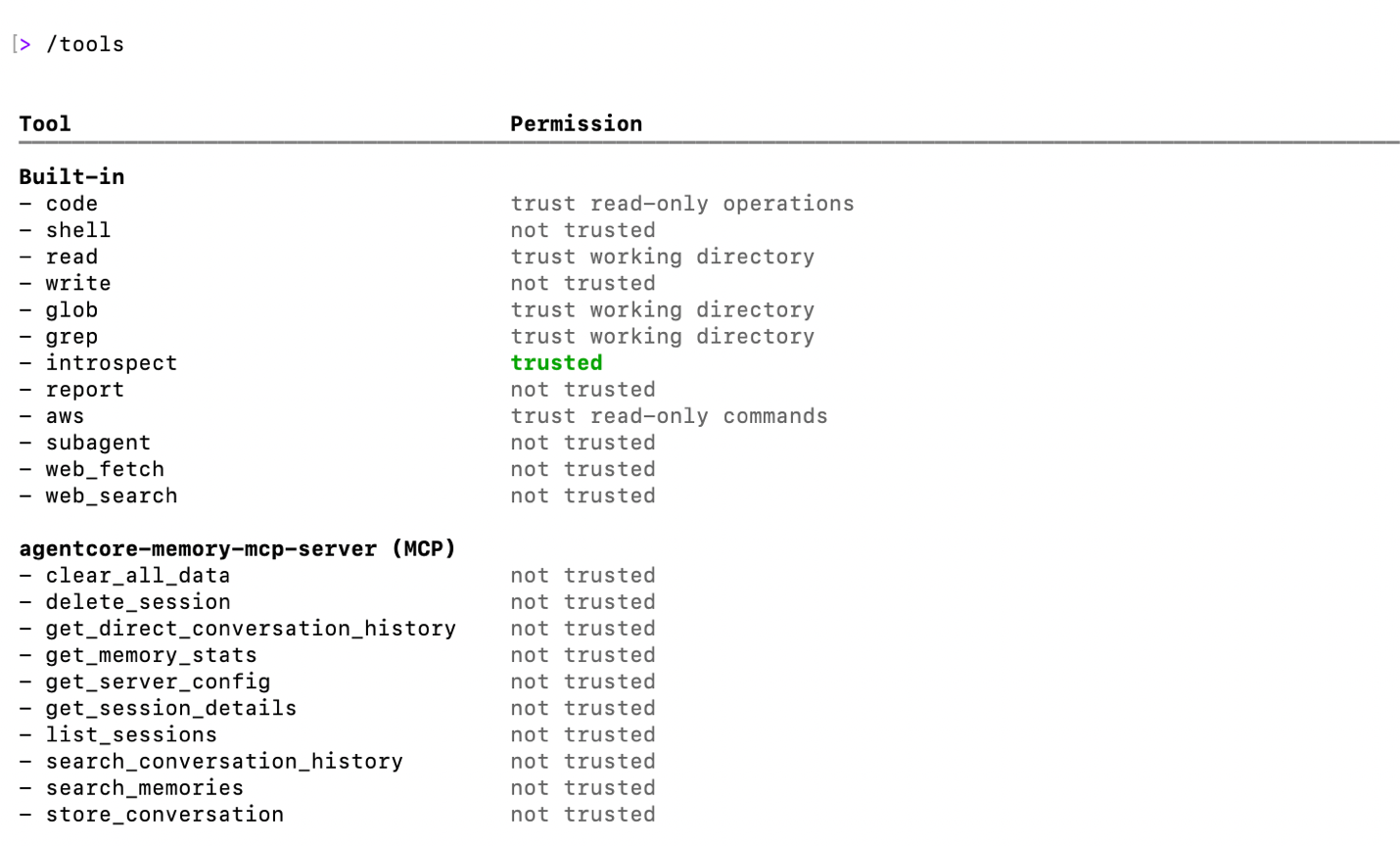
Notice that the following tools are available to the session through the agentcore-memory-mcp-server.
clear_all_data– Delete the information from a particular namespace in memorydelete_session– Delete a particular sessionget_direct_conversation_history– Access complete conversation content for specific sessionsget_memory_stats– uses list_memory_records to provide an overview of the memoryget_server_config– provides the configuration of the MCP serverget_session_details– provides information about a particular sessionlist_sessions– List previously stored sessionssearch_conversation_history– Tool for searching conversation history by topic or timeframesearch_memories– Another tool for searching long term memorystore_conversation– Store conversations with consistent session IDs
Test the solution
Kiro CLI invokes MCP servers based on the functionality required to respond or act based on your prompt. Kiro CLI hooks trigger and store the conversation after every conversation. Here are some usage examples:
What is AWS DevOps agent? Is it GA yet?
Allow tool access that Kiro may ask for approval to use. After getting the response quit the Kiro CLI by typing /quit.
Re-login to Kiro CLI and ask:
What have we discussed about AWS DevOps agent?
Allow tool usage request from Kiro CLI. Kiro will use the agentcore-memory-mcp-server to fetch relevant information from Bedrock AgentCore memory.
You can ask follow up questions like:
Can I integrate GitHub with AWS DevOps agent?
What is the pricing for AWS DevOps agent?
Again /quit the Kiro CLI session and re-login after some time. Ask Kiro CLI to retrieve previous discussion about AWS DevOps Agent in your natural language. Kiro shows you the summary of previous discussion.
Refer to the following recorded demo for more details:
Cleaning up
If you followed along only for demonstration purpose, to avoid incurring future charges, run the following command to delete the resources created in this post:
python3 cleanup_bedrock_agentcore_memory.py
Delete the Agent configuration created in this post from your kiro directory (~/.kiro/agents/kiro_memory.json)
Delete the hooks created in this post from your kiro directory (~/.kiro/hooks/)
Conclusion
In this post, we demonstrated how you can enhance context persistence of Kiro CLI using a custom MCP server that integrates with Amazon Bedrock AgentCore Memory. The custom MCP server provides comprehensive tools for storing and retrieving conversation contexts, monitoring memory usage, and managing your persistent memory infrastructure. With features like smart retrieval, natural language timeframes, and cascading fallback strategies, you can reliably access your conversation history without repeatedly providing the same contextual information.
About the authors
Author: Biswanath Mukherjee