

Extract Business Directory Listings into Google Sheets with n8n and AI
A business directory page describes forty… Our newest template on the n8n gallery extracts business directory listings — chambers of commerce, local business indexes, industry registries — into Google Sheets… The pipeline, in one paragraph A Schedule Trigger fires daily at 12 PM and reads a…
A property listing page describes one thing. A business directory page describes forty. That single difference changes almost everything downstream of the capture — how many rows you get per request, which column can safely act as a unique key, how pagination eats your quota, and how badly one bad field can corrupt a whole run.
Our newest template on the n8n gallery extracts business directory listings — chambers of commerce, local business indexes, industry registries — into Google Sheets. It shares its skeleton with the real estate listings extractor we published last week, so this write-up won’t re-narrate the pipeline node by node. It’s about what changes when one capture produces N records instead of one.
The pipeline, in one paragraph
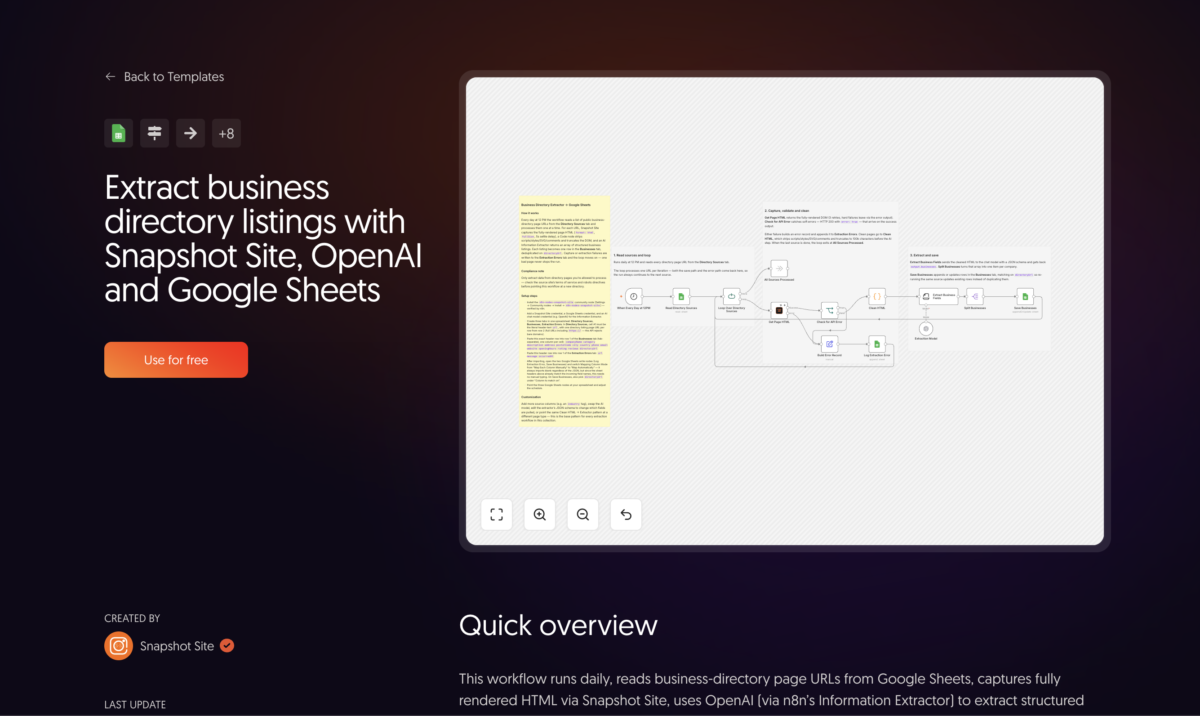
A Schedule Trigger fires daily at 12 PM and reads a Directory Sources tab (a literal url header in row 1, one directory page URL per row below). A Split In Batches loop walks the list one URL at a time. Get Page HTML is the Snapshot Site node’s Screenshot operation with format: "html", fullSize: true, and delay: 5. It carries retryOnFail with three tries five seconds apart plus an error output, and a Check for API Error IF node catches the soft failures that arrive on the success output (HTTP 200 with error: true in the body). Either failure path builds an error record, appends it to an Extraction Errors tab (url, message, occurredAt), and lets the loop continue. On the happy path, a Code node strips <script>, <style>, <svg> and comments, collapses whitespace and truncates to 100,000 characters; n8n’s Information Extractor, backed by an OpenAI chat model, fills a hand-written JSON schema; and a Google Sheets append-or-update writes the results.
Two things in that paragraph deserve a footnote. html is an output option on the n8n node rather than one of the documented REST format values, and the delay field is labelled “Delay (ms)” in the node UI even though the API reads it as seconds — pass 1000 expecting milliseconds and the call comes back rejected, because the accepted range is 0 to 10.
Where the boundary sits also matters more here than on a single-listing page: Snapshot Site renders, OpenAI reads. A capture that comes back half-rendered doesn’t cost you one bad field, it costs you every company below the fold — which is why the five-second settle delay and the retry policy are load-bearing rather than decorative. And the reason we render at all instead of parsing markup is the argument in HTML Scraping vs Screenshot API: Why Pixels Are More Reliable Than the DOM: every directory structures its cards differently, and a selector library that covers eight of them is eight things to repair after the next redesign.
One page in, forty rows out
Here’s the actual structural difference. The extractor returns output.businesses — an array, not an object — with one entry per company found on the page. Each entry carries fourteen fields: companyName, category, description, address, postalCode, city, country, phone, email, website, openingHours, rating, reviews, and directoryUrl.
That array is why there’s a Split Businesses node between the extractor and the sheet. Split Out explodes the array into individual n8n items, so that one HTTP response becomes twenty, forty, sometimes fifty separate spreadsheet rows in Save Businesses. Without it, you’d be trying to write a nested array into a flat grid, and Google Sheets would give you exactly what you’d expect: one useless row containing a stringified blob.
In a live July 2026 test run, a single directory page yielded 23 extracted businesses from one capture. That ratio is the whole appeal — and also the source of every gotcha below.
The dedup-key trap
Save Businesses is an append-or-update that matches on directoryUrl. Get that column wrong and the workflow fails in the most confusing way available: it runs green, reports success, and leaves you with one row where you expected forty.
The intent is that directoryUrl holds each listing’s own URL on the directory — something like https://directory.example/listing/123 — which is the only field in the schema that’s naturally unique per company. The problem is that the model has to read that URL out of the rendered markup, and directories very often link their listings with relative hrefs (/listing/123). Depending on how the page is built and what the model decides to do with an ambiguous instruction, it can return the same value for every listing on the page, or an empty string for all of them. Append-or-update then does precisely what you asked: it finds a matching row and overwrites it. Forty times. The last business on the page wins, and the other thirty-nine are gone without an error anywhere.
The fix is a five-minute check, not a code change:
- Run the workflow manually against one source URL.
- Open the output of
Split Businessesand look at thedirectoryUrlvalues across items. - If they’re distinct absolute URLs, you’re fine — leave the matching column alone.
- If they’re blank, or all identical, switch the Column to match on in
Save BusinessestowebsiteorcompanyNameinstead.
Neither fallback is perfect — website is empty for businesses that don’t have one, and companyName will happily merge two genuinely different companies that share a name in different cities — but both are far better than a key that’s constant across the whole page. If you go with companyName, it’s worth adding city to your mental model of what “duplicate” means and reviewing merges occasionally.
Worth noting: the sheet’s header row has to exist before any of this works. Google Sheets’ column-mapping UI resolves columns against the live sheet, so the “Column to match on” dropdown stays empty until directoryUrl is physically present in row 1 of the Businesses tab.
Pagination is a source-list problem
One capture equals one page of results. If a directory paginates its category at 25 listings per page, capturing page 1 gets you 25 companies and nothing else — there’s no crawler in this workflow, and no ?page=2 inference happening anywhere.