

Reliable Screenshots of Bot-Protected and JavaScript-Heavy Pages
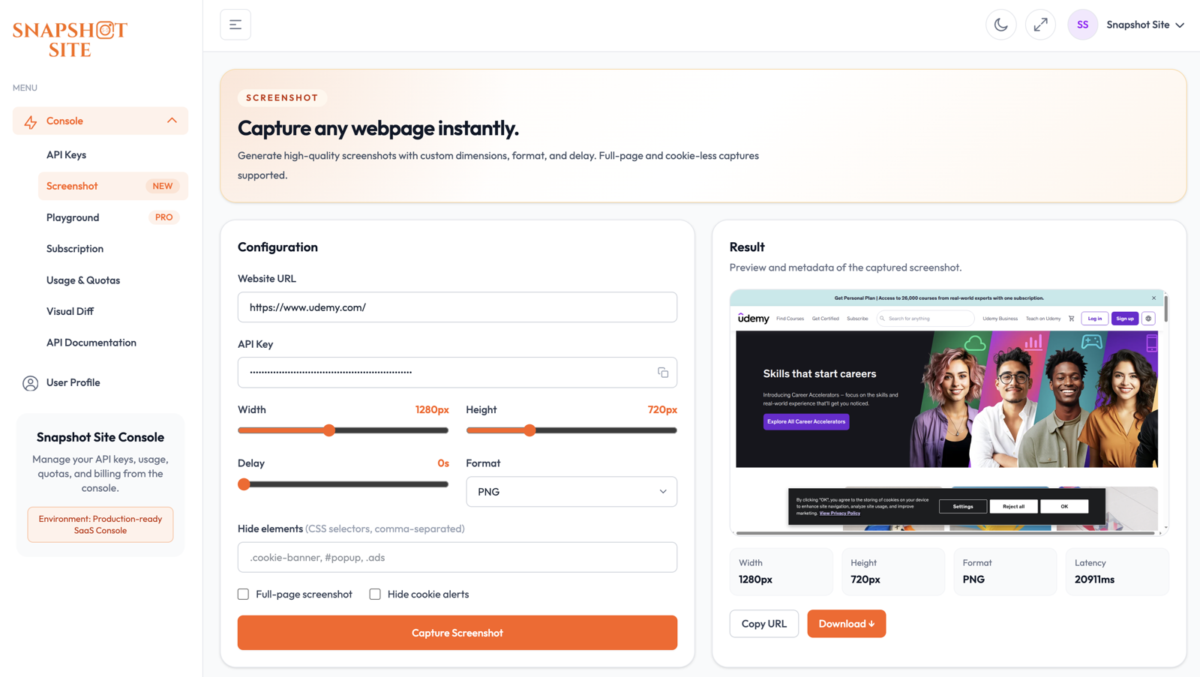
You point a capture request at a page you need to monitor, and the image that comes back is not the page… The request technically succeeded — it just captured the wrong thing, and now whatever you built on top of it is quietly working with a screenshot of a challenge screen… To an automated ca…
You point a capture request at a page you need to monitor, and the image that comes back is not the page. It is a “Verifying you are human” interstitial, a “Performing security verification” spinner, or a nearly-empty shell that never filled in with real content. The request technically succeeded — it just captured the wrong thing, and now whatever you built on top of it is quietly working with a screenshot of a challenge screen.
There are two distinct versions of this problem, and they get mixed up constantly because they produce the same symptom: a screenshot that does not show the page a normal visitor would see.
Two Different Failure Modes, One Symptom
The bot-protection interstitial. Many sites sit behind a protection layer that shows a short challenge or verification step before serving the real page. To an automated capture that behaves like a plain fetcher, that interstitial is the page — it renders, it is valid, and it gets captured as-is. The actual content behind it never loads.
The client-side render that never finishes. A page that builds most of its content with JavaScript after the initial response returns almost nothing in that first response. Capture too early and you get a skeleton loader, a spinner, or a blank frame where the real content should be. This is the same fragility that makes DOM scraping unreliable — as covered in HTML Scraping vs Screenshot API: Why Pixels Are More Reliable Than the DOM, the content exists, just not in the document a naive fetch received.
Both end the same way: an image that does not match what a human sees in a real browser. The distinction matters because the fixes are different — one is about how the page is reached, the other is about giving the page time to finish.
What Snapshot Site Does About the First One
For the protection-interstitial case, Snapshot Site handles it as a capability, not a checkbox. The API renders and returns the real page rather than stopping at a challenge screen — you send the same request you would send for any other URL, and you get back the page a visitor would actually see. There is no separate “anti-bot” flag to set and nothing about the target site’s protection layer to configure; it is part of how capture works.
That means the request for a protected page looks exactly like any other capture:
curl --request POST
  --url https://api.prod.ss.snapshot-site.com/api/v1/screenshot
  --header 'Content-Type: application/json'
  --header 'x-snapshotsiteapi-key: YOUR_API_KEY'
  --data '{
    "url": "https://your-monitored-site.com/pricing",
    "format": "png",
    "width": 1440,
    "fullSize": true,
    "hideCookie": true
  }'
No special parameter appears here because none is needed. The goal is simple: the pixels you get back are the real rendered page, not the interstitial in front of it.
What You Control for the Second One
For the client-side rendering case, the documented rendering controls are the levers, and they are the same ones you would reach for on any dynamic page:
delay(0–10 seconds) holds the capture until content that arrives shortly after load has had time to appear. This is the first thing to try when a page comes back as a spinner or a partial shell.waitForDomon thev3/analyzeendpoint waits for the DOM to stabilize before capturing, which suits pages with a slower initial data fetch better than a fixed delay.javascriptCodeon thev2endpoint runs custom JavaScript before the screenshot is taken — useful when a page needs a specific interaction or state before its real content is on screen.hideremoves specific elements by CSS selector, andhideCookieclears common consent banners, so an overlay sitting on top of correctly-rendered content does not get mistaken for a failed capture.
The official guidance is exactly this: use delay, hide, and javascriptCode for dynamic pages. If you have ever had to wait out an entrance animation or a lazily-loaded hero image, this is the same toolkit — the mechanics are unchanged whether the delay is caused by lazy loading or by a heavier client-side framework.
Knowing When the Capture Is Actually the Real Page
The most useful part of this is not just getting the real page back — it is being able to confirm you did. The v3/analyze endpoint returns quality signals alongside the capture, and two of them speak directly to this problem:
curl --request POST
  --url https://api.prod.ss.snapshot-site.com/api/v3/analyze
  --header 'Content-Type: application/json'
  --header 'x-snapshotsiteapi-key: YOUR_API_KEY'
  --data '{
    "url": "https://your-monitored-site.com/status",
    "waitForDom": true,
    "enableQuality": true
  }'